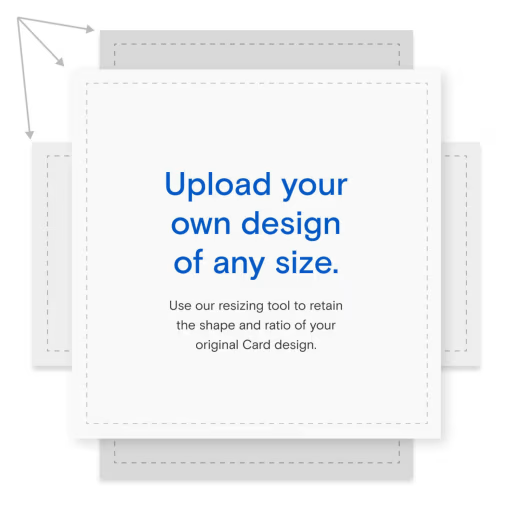
Upload your own Card design
Choose an invitation template for your design, send instantly, and manage everything with our helpful features.

Create your own Flyer in minutes
Make a one-of-a-kind textable event page with customizable designs, images, stickers, filters, and more.
Upload your own invitation templates
Have an existing design? Find the right invitation template and send via email, text, or link.
Make your own invitations
Create your own invitation with templates you can customize in minutes. Upload your own design and send via text, Shareable Link, or match it to a Custom Email.



Frequently Asked Questions
Before you can start customizing your invitation, you’ll need to choose between designing a stationery-inspired Card or a casual, fun Flyer event page.
Cards provide a classic, elevated digital invitation that can be overlaid on a backdrop, along with a customizable envelope and stamp. Flyers are shareable event pages with a section for your uploaded image, design, or video, and a section for your event details.On a Card, you can click “Upload” to add a new image. For a Flyer, click on “Uploads” and then “Upload photos or design.” Then, your design is ready for customization. Use the editing tools to zoom, flip, and rotate the image, or just use your cursor to click and drag it exactly where you want.
On a Card, you can upload a JPEG with any aspect ratio if you select the “Fit to your design” template, but we recommend keeping the file under 20 MB. With Flyer, you can upload most file types as long as the file is under 25 MB. If you’re using a video, it should be no longer than 5 seconds, and cover art videos will not have sound. Learn more about accepted file types here.
If you’re making a Card, you can add a backdrop, stickers, and text to your image, customize your envelope, and add text or another custom image/photo to the back of the Card. With Flyer, you can add text, stickers, filters, soundless videos, and GIFs.
You can also add Blocks to share important information like schedules, accommodations, gift registry links, and anything else your guests need to know.Create a guest list by clicking “Add Guests.” You can add recipients manually, add contacts from your phone, upload a spreadsheet, search for contacts in your Paperless Post Address Book. You can share your invitation easily via email, text message, or Shareable Link.
With Paperless Post, you can track RSVPs and opens in real-time to get the most accurate headcount. You can also communicate with your guests in a broadcast or private message to keep them in the loop about updates and deadlines.
Don’t despair! The Paperless Post Support Team is always happy to offer technical assistance. Submit a request by filling out this form and let us know how we can help—we’ll be in touch shortly.
More invitations for other occasions
Design your own invitations
Want to start from scratch? Use Paperless Post’s invitation maker template and online create tools to craft custom invitations. Our most popular template is our “Custom (Fit to your design)” template that retains the shape and aspect ratio of your design. For the best results, we recommend uploading a photo up to 20MB with a height and width of 2048 x 2048 pixels. To further customize your design, you can choose from our selection of premium envelopes, liners, and backdrops, and add additional event details without adding clutter to your invitation design with Blocks.
Create your own invitation design
If you want to upload your own photo into a preformatted design, you can choose one of our beautiful photo Cards with a layout of your choice. If you want to design your own invitations that are ready to print, you can visit Paper Source to turn your custom online design into printed perfection. In addition to being able to design your own Card invitation, you can also incorporate your own custom artwork into our “Start From Scratch” Flyer template and add a favorite GIF or photo. We suggest sizing your Flyer image to 1024 pixels wide x 1024 pixels tall for the best results.
Need additional info on how to design your own invitations? You can read more on our FAQ page, which lists each Card size available (and the file size you need for best results). From there you can elect which one will work best given your artwork or photo.
