What does RSVP mean? (and how to use it)

RSVP comes from the French phrase répondez s’il vous plaît, which directly translates to “respond, if you please.” It’s a classic way to ask a guest if they plan to attend an event. You’re most likely to see “RSVP” at the end of an invitation, often followed by a date when the host would like your response.
Today, the term is used both as a noun (“to send an RSVP”) and a verb (“to RSVP to an event”). Learn how to respond to an RSVP, the best RSVP etiquette for hosts, and more details that will make you an RSVP expert.
RSVP etiquette for guests
The meaning of an RSVP is simple: If an invitation includes an RSVP, the host would like to know if you are attending their event. This vital information will help them make important decisions regarding food, venue, and seating arrangements.
What does the ‘M’ mean on an RSVP?
If you see an “M” in your RSVP card with a line after it, it’s asking for a formal reply with your full name and title (which starts with an “M”). Titles may include:
- Mr.
- Miss
- Ms.
- Mrs.
- Mx.
After you’ve chosen the most accurate title, fill in your name, as well as the names of anyone accompanying you. It’s good manners to include another name only if that person was invited directly, or if the invitation allows a plus-one.
Do you always have to RSVP?

Any time you are invited to an event that instructs you to RSVP, whether it’s a formal wedding or a casual birthday party, be sure to respond before the deadline. Many invitations may include a phone number that you can call or text to RSVP. With Paperless Post invitations, sending an RSVP is as easy as clicking a button.
What if you can’t come to the event?
Sending an RSVP response is a thoughtful way to let the host know you’re excited about their upcoming event. But even if you have to RSVP “no,” include a note for the host in your reply.
A short explanation of your absence alongside a warm message of well-wishes can go a long way in making the host feel appreciated. As an added touch, let the host know that you’re excited to see them in the future when your schedules both allow.
What does it mean if the invitation says “regrets only”?
If an invitation says “regrets only,” it means that the host only expects an answer if you do not plan to attend the event. This differs from an RSVP request, where you are expected to respond either way.
How do you send a digital RSVP?
While paper invitations have their own unique charm, digital invitations are useful for anyone looking to add modernity and convenience to their RSVP process without sacrificing polish and style.
With Paperless Post, responding to an invitation with an online RSVP is as simple as clicking a button and filling out any Guest Questions regarding attendance and food allergies. This is an easy alternative to the slog of mailing physical letters and then waiting weeks to receive a response.
RSVP best practices for hosts

When should you set the deadline for RSVPs?
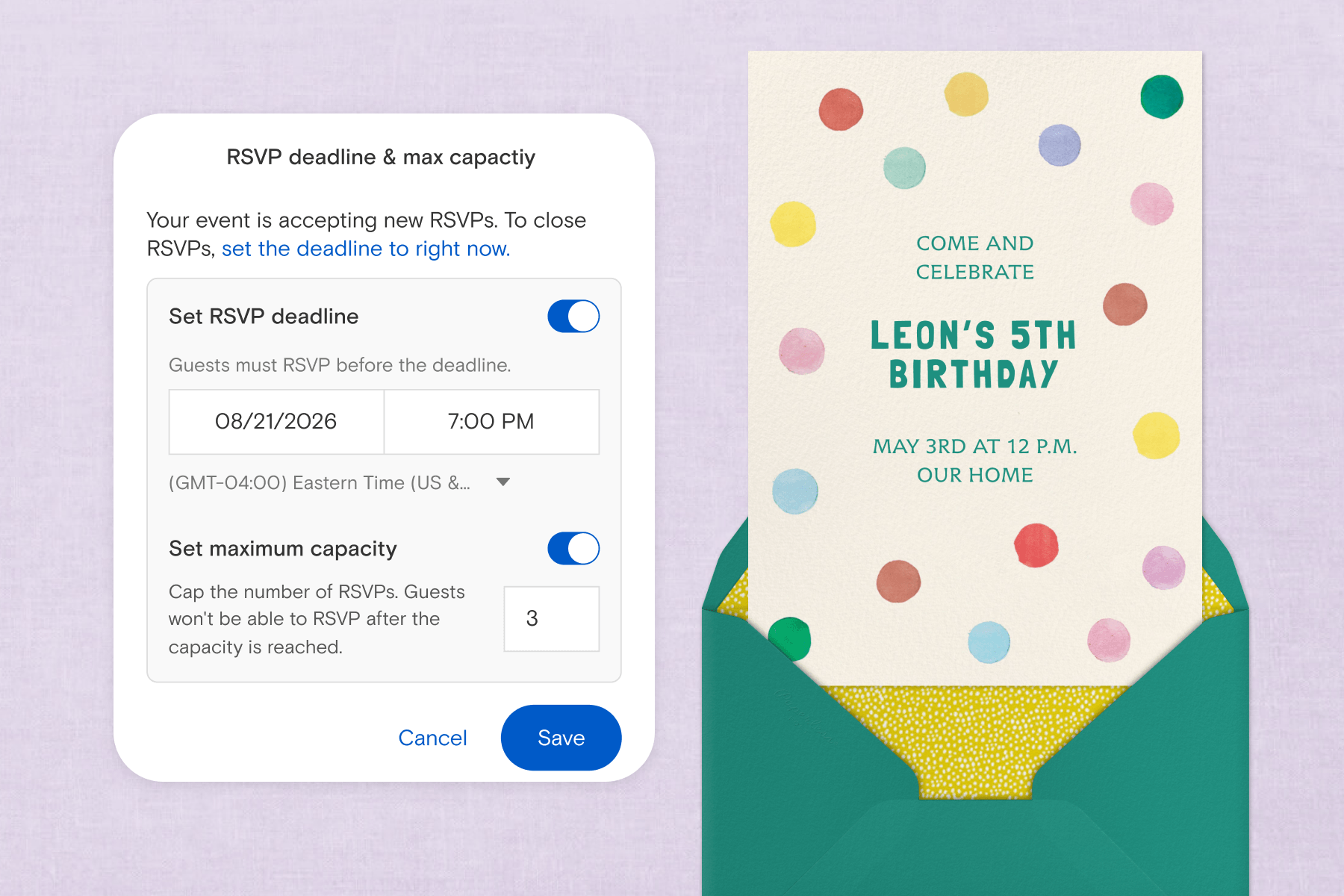
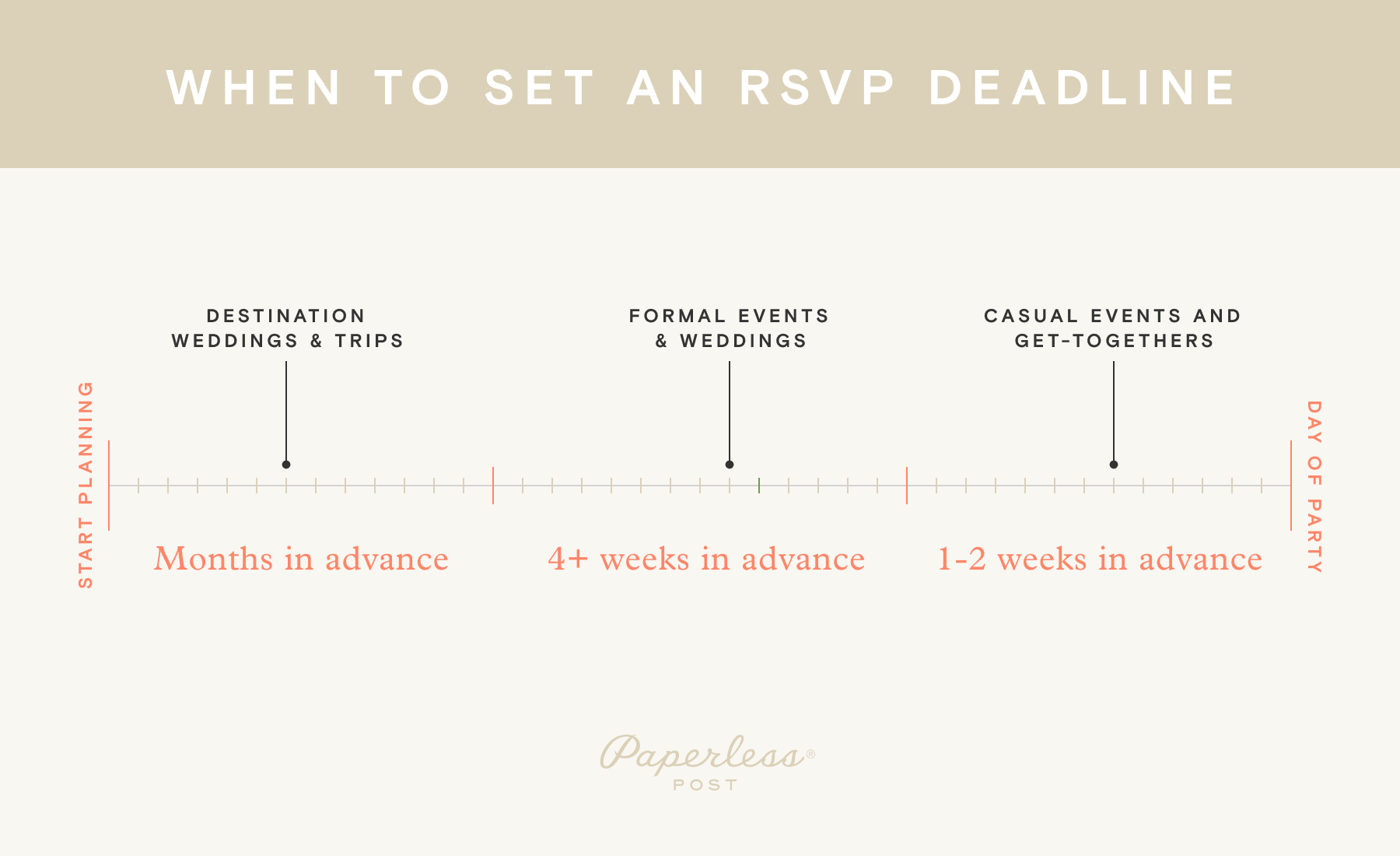
Setting an RSVP deadline is crucial for any event that requires a headcount, especially for more formal events. A good rule of thumb is to set your RSVP deadline four weeks before any event where you need a headcount to plan for catering and venue availability, such as a wedding.
For casual events, an RSVP window of one to two weeks is fine, especially if you send your invitations out early. This timeline gives guests ample time to check their social calendars and make a decision on how they’ll RSVP.
What else can guests provide with an RSVP?
Anyone who’s hosted an event knows that there can be a few surprises along the way, like unexpected plus-ones, kids at an adults-only party, or guests with food allergies. However, with Paperless Post’s guest management tools, many of the usual hosting challenges can be solved with ease. As the host, you can:
- Indicate whether guests can bring additional guests before you send out your invitation.
- If you’re allowing children at your event, enable children vs. adult headcount in your invitation. If children are not invited, include a polite note in the Details Block indicating that the event is adults only.
- If food is being served, include Guest Questions to inquire about dietary restrictions or preferred dishes, such as “Chicken or Fish.”
What should you do if people don’t RSVP?
Even when you add “RSVP” to your invitation, chances are you’ll still have guests who don’t respond in time.
Tackle this by sending a friendly follow-up as the RSVP deadline approaches. If you sent paper invitations, this might be a phone call or text. If you sent your invitation through Paperless Post, send a broadcast message to any guests who’ve yet to respond. A “reminder to RSVP” template is pre-written and ready to use, making it easy to get your headcount ASAP.
What tools can I use to collect RSVPs easily?
With Paperless Post, you’ll get a wide-ranging assortment of hosting tools that will help you send and collect RSVPs with ease. Streamline your planning process so you can spend less time on the details and more time with the people that matter most.
- Add guests quickly by uploading a spreadsheet, pasting a list, or importing your phone contacts
- Include Guest Questions to collect vital information, like food allergies, plus-ones, and more
- Set an RSVP deadline to close invitation responses on a time and date of your choosing, eliminating the hassle of late replies
- Track RSVPs to see when your invitation was delivered, opened, and replied to, eliminating extra hosting stress
- Send broadcast messages to remind guests to RSVP, or inform them of any changes to the event’s time or location
FAQ
What does RSVP stand for?
RSVP stands for répondez s’il vous plaît, which translates from French to English as “respond, if you please.”
What does RSVP mean on an invitation?
An RSVP on an invitation signifies that the host of the event is requesting confirmation that you plan to attend their event.
Do you have to RSVP if you can’t go?
If you are unable to attend the event, it is good etiquette to let the host know. Having an accurate headcount for an event allows them time to plan food and venue details—plus, it’s just good manners.
What’s the difference between RSVP and “regrets only”?
An RSVP is a request for guests to inform the host of their plans, regardless of whether they plan to attend the event. If an invitation is “regrets only,” guests should only respond if they do not plan to attend the event.
How do you respond to a digital RSVP?
Most physical invitations will have a phone number or email address where RSVPs should be delivered. With Paperless Post invitations, you can send an online RSVP with just a few clicks.
RSVP with Paperless Post

Now that you know the definition and purpose of an RSVP, keep it in mind the next time you see those four magic letters in your inbox. They may mean répondez s’il vous plaît in French, but they really mean “Please come to my event! I really want you there” in the language of friendship.
When hosting your next event, use Paperless Post’s features and tools to customize and send the perfect invitation, set an RSVP deadline to help with your planning, organize your guest list, message guests individually or as a group, and easily track opens and responses as they come rolling in.
Whatever the occasion, find exclusive designs to suit your style and make planning a breeze.