Everything you need to know about co-hosting an event with Paperless Post
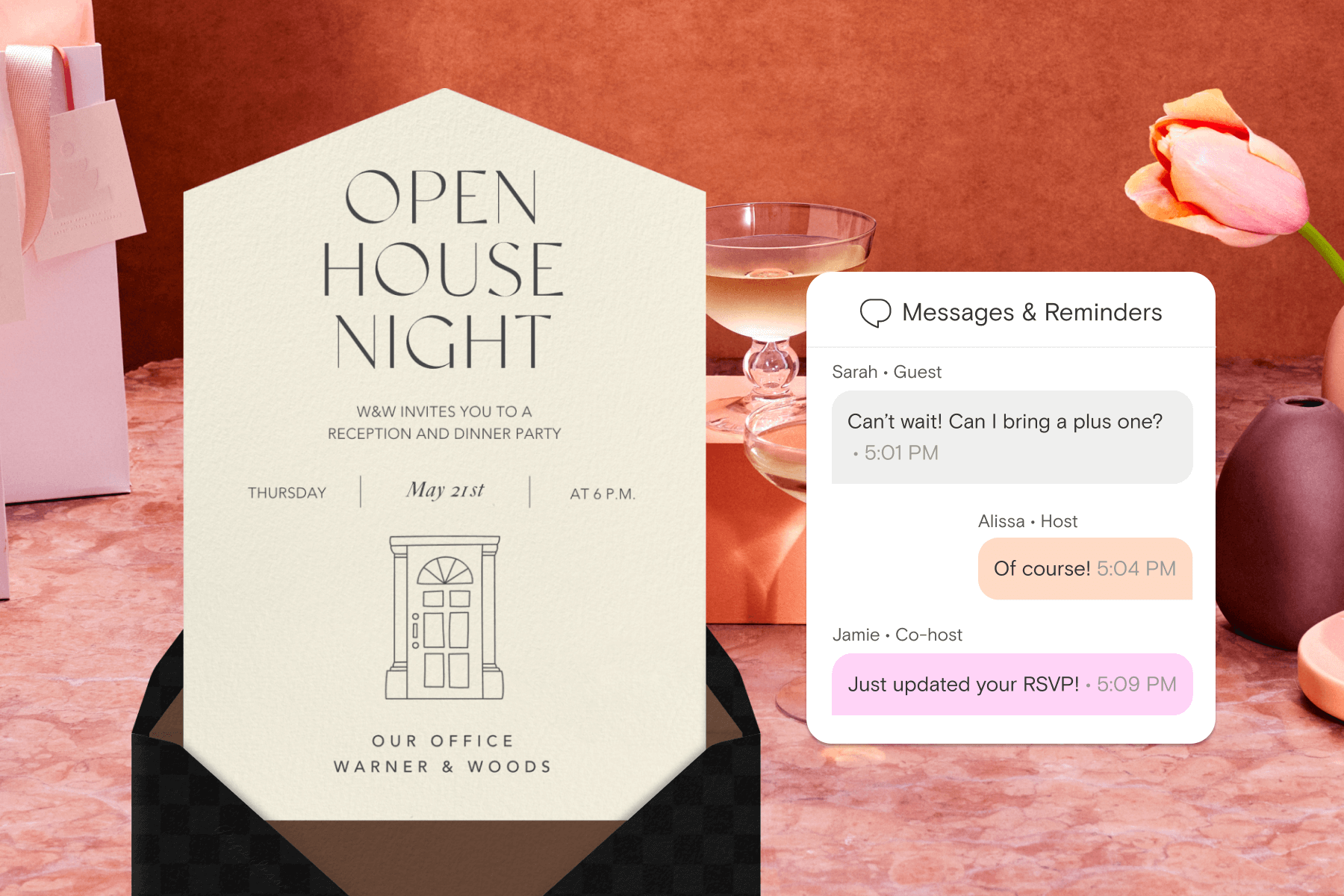
Whether you’re organizing a wedding with your partner, hosting a baby shower with friends, or working alongside a client as an event planner, having someone to share the details with makes the whole process smoother (and more fun).
That’s where Paperless Post co-hosting comes in. With expanded capabilities and customizable permissions, co-hosting lets you collaborate on invitations and guest management from start to finish—so you don’t have to keep track of everything alone.
As an online invitation platform with co-hosting, Paperless Post allows multiple people to collaborate on an event. Co-hosts can send invitations, edit guest lists, manage RSVPs, schedule sends, message guests, and check guests in—all from their own account, with permissions set by the host. It’s a shared event planning tool designed to keep everyone aligned while giving hosts full control.
Below, we’ll walk through what co-hosting is, what co-hosts can do, and how it can make planning everything from casual celebrations to large-scale events feel effortless.
What is co-hosting?
Co-hosting lets you invite someone else to help manage your event. Instead of juggling guest communication, RSVPs, reminders, and day-of logistics all on your own, responsibilities can be shared across partners, friends, family members, or professional planners.
If you’ve ever tried to co-host an event online by forwarding emails, sharing spreadsheets, or texting screenshots of RSVPs, you know how quickly things can become scattered. Co-hosting replaces that patchwork with one shared space where everything stays organized. You decide exactly how involved each collaborator should be, from simple RSVP tracking to full guest management support, making Paperless Post the perfect digital invitation platform for event planners.
Co-hosting capabilities

Because permissions are customizable, you stay in control while giving collaborators the tools they need. Co-hosting is especially helpful for events where planning happens across multiple people, timelines, or locations. Depending on the permissions you set, co-hosts can:
Send and schedule event invitations
Divide and conquer your guest list, or coordinate scheduled sends.
Edit guest information
Update details, add plus-ones, and keep your guest list accurate as plans evolve.
Manage RSVPs together
Watch responses roll in, follow up with guests, and stay on top of attendance in real time.
Send broadcast messages to guests
Share important updates—timing changes, parking info, dress codes—with everyone at once.
Send private messages to guests
Reach out individually when you need to confirm details or answer questions.
Check guests in at the event
Confirm attendance in the app as guests arrive, making day-of coordination feel calm and organized.
Ready to take your planning even further? Paperless Post is full of features designed to make hosting easier, more organized, and a little more magical.

Make hosting an event a breeze

Some events naturally call for teamwork. Co-hosting makes that collaboration feel seamless instead of complicated.
For everyday celebrations, it means sharing the fun parts of planning. Two siblings organizing a milestone birthday can split guest outreach. Friends planning a surprise party can quietly manage RSVPs together without giving anything away. Hosts can collaborate to co-host baby shower invitations and keep track of who’s bringing what.
For bigger events, the benefits grow. Parents hosting a graduation party for multiple graduates can coordinate across families. Couples can co-host wedding invitations online with planners or family members. Fundraisers and community events can rely on multiple coordinators to keep communication flowing.
Professional planners gain flexibility, too. Co-hosting makes it easier to manage events while keeping clients involved—no spreadsheets, no duplicated guest lists, no guessing who sent what. It’s an event planning app for multiple hosts that supports collaboration without sacrificing structure. As Sarah C. Taibel, founder of SCT Events, shared about the updated tools: “I’m telling all my clients they can now do more as co-hosts.”
When more people can participate in the process, planning feels lighter—and the event itself runs more smoothly.
FAQ
Curious how co-hosting works in practice? Here are answers to a few of the most common questions—from how to add a co-host to an event invitation to how Coins work with a co-host.
How do I add a co-host on Paperless Post?
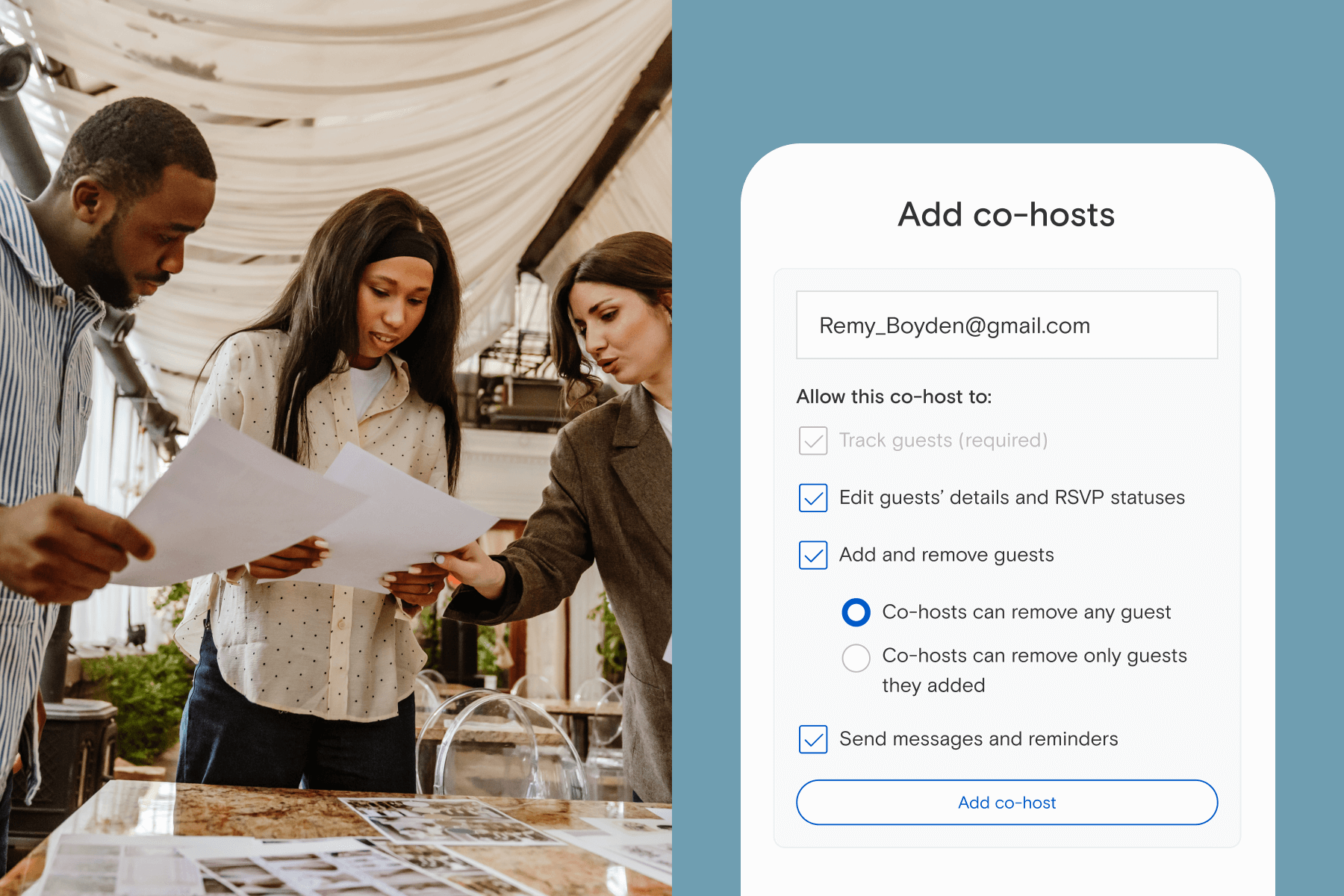
It’s quick to add a co-host on your desktop or in the app. From your Tracking page, select ‘Add a co-host’, enter your collaborator’s email, choose permission levels, and confirm. They’ll receive an email notification and see the event appear in the Sent & Scheduled section of their ‘My Events’ page. If they don’t have a Paperless Post account, they can create one after being added. You can find full instructions for adding a co-host here.
What can a co-host do on Paperless Post?
That depends on the permissions you set. Co-hosts can send invitations, manage RSVPs, edit guest lists, schedule sends, message guests, and check attendees in at the event—all while you remain in control. You can edit permissions or remove a co-host at any time from the Tracking page. Removing a co-host immediately revokes their access.
Can a co-host send invitations on my behalf?
Yes. With the right permissions, co-hosts can send invitations and follow-up messages to guests, making it easier to divide responsibilities and keep communication consistent.
How is co-hosting different from sharing event access?
Co-hosting supports collaboration on an event. Instead of simply viewing information, co-hosts can take action within the permissions you choose.
Can event planners use co-hosting for client events?
Yes! Many do. Co-hosting allows planners and clients to manage RSVPs, coordinate messaging, and stay informed without relying on separate tools or spreadsheets.
I’m a co-host—can I use my own Coins to pay for guests?
Guest sending costs are always deducted from the main host’s account, whether they’re using Coins or a Paperless Pro subscription. Co-hosts can’t use their own Coins or Paperless Pro subscription when adding guests to an event. If the host doesn’t have enough Coins or remaining guests, the co-host won’t be able to send and will be prompted to reach out to the host to add more.

Plan together and celebrate more
Great events are built on collaboration—shared ideas, thoughtful details, and a little extra help behind the scenes. Instead of juggling messages or keeping separate lists, you and your co-hosts can manage everything in one place, from sending invitations to welcoming guests at the door.
Whether you’re planning a wedding, hosting a shower, or managing events professionally, co-hosting makes the experience feel easier, more organized, and more enjoyable from start to finish.
Try co-hosting for your next invitation and explore how Paperless Post can help you plan together—and celebrate even more.